Scratch Tutorial 3
How to Make a Custom Player HP / Health System
-
Step 1: Setting up Lives
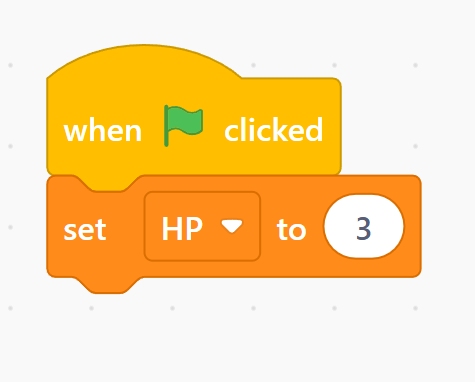
Go to the Variables block tab, click
Make a Variable, and name itHP. Now create your first block chain. Place a when green flag clicked block into your player sprite workspace, followed instantly by aset [HP v] to (3)block right underneath it. -
Step 2: Hit Detector Check
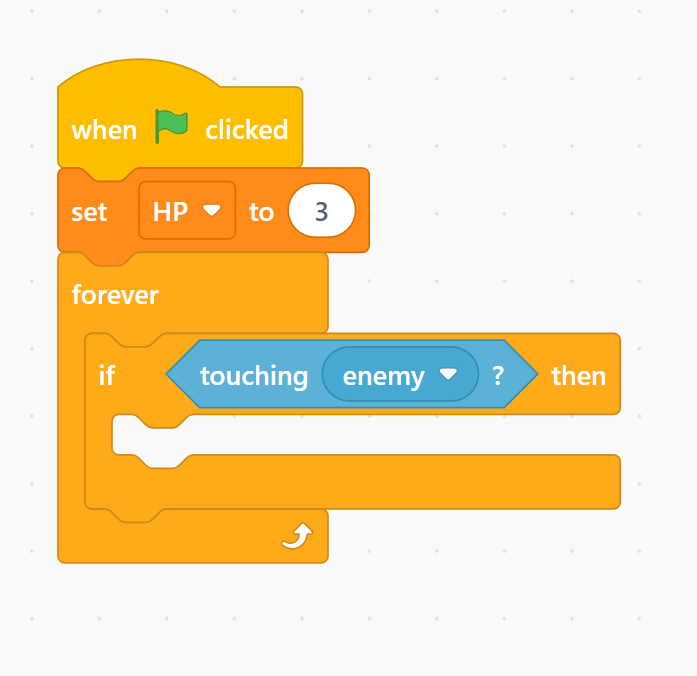
Inside the player's primary `forever` movement loop from Tutorial 1, drop an
if then and foreverconditional frame block to scan for incoming damage:if <touching [Enemy v]?> then. -
Step 3: Cooldown Window
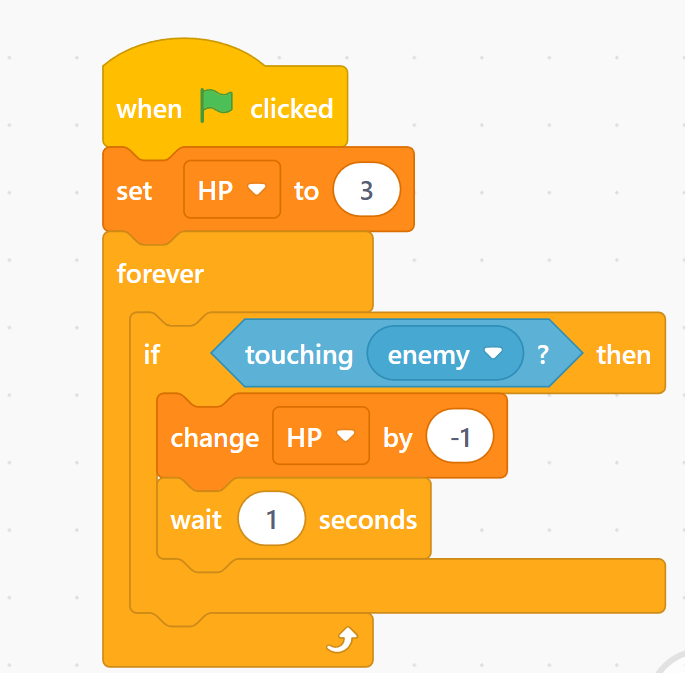
Inside that damage check frame, reduce a heart container by adding a
change [HP v] by (-1)block. Drop await (1) secondsblock directly underneath it to create invincibility frames so your lives don't hit zero instantly! -
Step 4: Game Over Loop
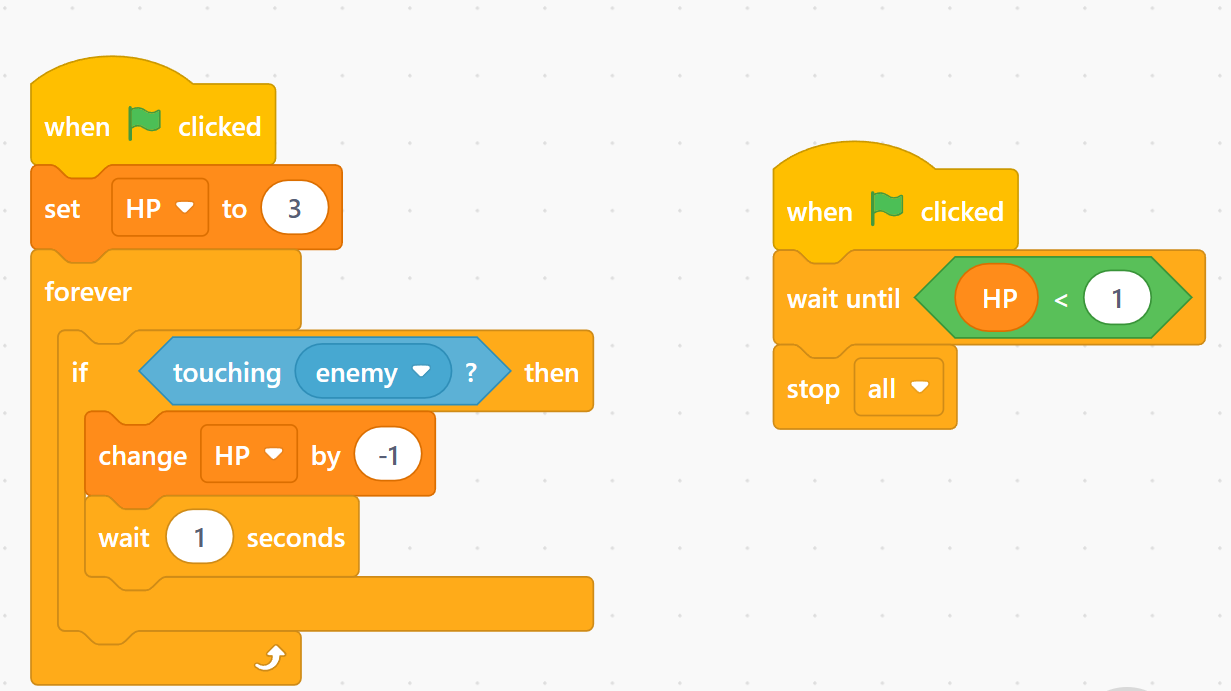
Finally, we need a separate script chain to monitor death. Create a brand new when green flag clicked trigger block. Attach a
wait until <(HP) < (1)>>conditional block, and drop astop [all v]component at the base to end the game loop cleanly.
HP Mechanics Completed! 🎮
Your game layout now has real structural stakes! Users have to actively dodge the incoming tracking entities while monitoring their active health bar indicators.