Scratch Tutorial 2
How to Make an Enemy AI Tracking Script
⚠️ Important Prerequisite
Before making an enemy chase you, you need to make a sprite named player. Your player character needs to be able to move! If you haven't programmed your player yet, click here to copy the Player Movement Grid from Scratch Tutorial 1.
-
Step 1

Select your Enemy Sprite. Get the
when green flag clickedblock from the Events tab. -
Step 2
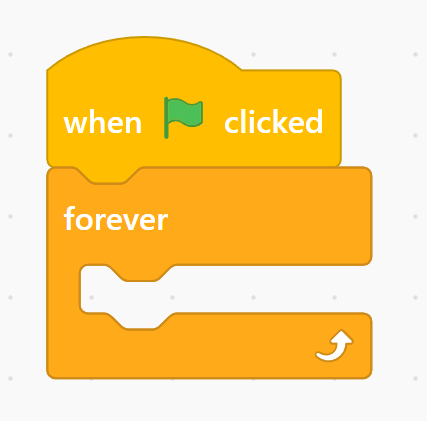
Get the
foreverloop block from the Control tab and lock it right under the green flag block. -
Step 3
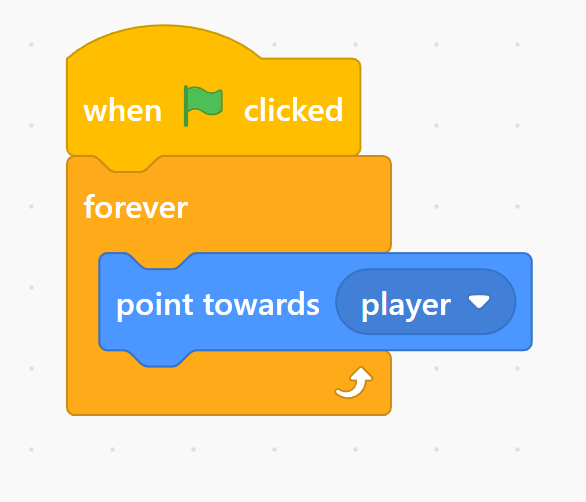
Get a
point towards (mouse-pointer)block from the Motion tab, drop it inside the loop, and click the dropdown menu to change it to yourPlayersprite. -
Step 4
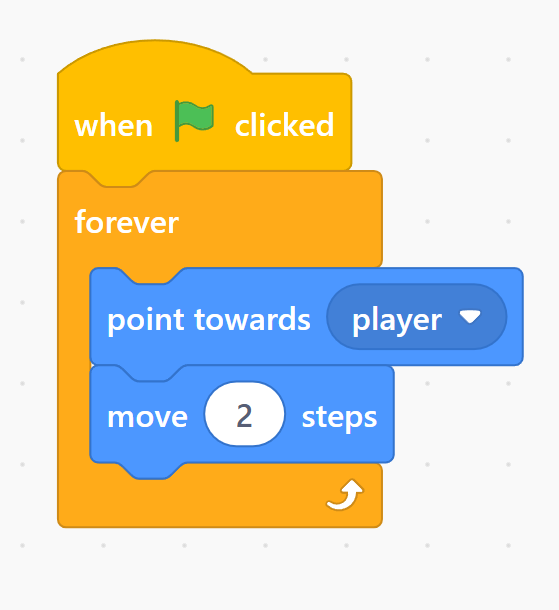
Finally, get a
move (10) stepsblock, snap it directly underneath the point block, and change the speed number value to2or3steps.